

Analysing a workout
Analysing a workout
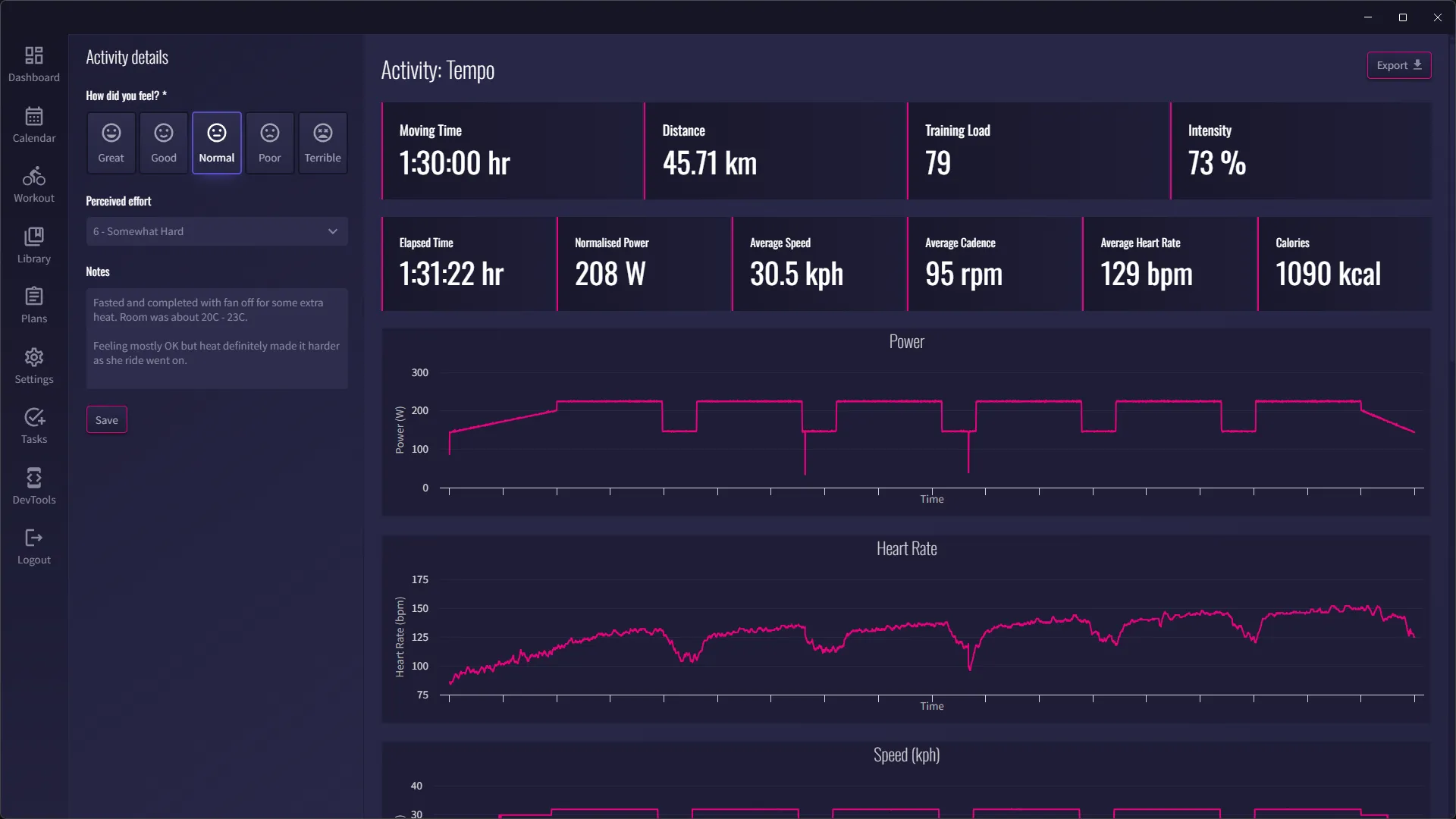
Section titled “Analysing a workout”Completed workouts can be analysed by going to the Calender and clicking View Activity.
Activity review
Section titled “Activity review”This is where you can add notes for the workout, perceived effort and how you felt. This will be displayed on the Calendar and Workout Generator views so you can quickly see how you’ve been doing recently to aid with planning.
General statistics
Section titled “General statistics”- Moving time
- Distance
- Training load
- Intensity
- Elapsed time
- Normalised power
- Average speed
- Average cadence
- Average heart rate
- Calories
Charts
Section titled “Charts”- Power over time
- Heart rate over time
- Speed over time
- Power curve
Lap analysis
Section titled “Lap analysis”- Duration
- Distance
- Average power
- Average heart rate
- Average speed
- Average cadence
Time in zone
Section titled “Time in zone”A breakdown of time spent in each zone.